
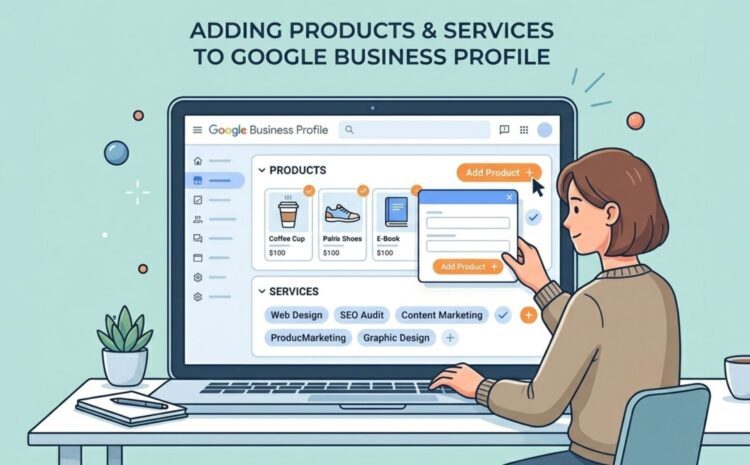
How to Add Products & Services to Your Google Business Profile
|
Getting your Trinity Audio player ready...
|
In today’s local search-driven world, your Google Business Profile is often the first point of contact between your business and potential customers. Before visiting your website or contacting you directly, users check your profile to understand what you offer, how much you charge, and whether your services match their needs.
According to local search behavior trends, a well-optimized Google Business Profile can significantly increase calls, direction requests, and website visits. One of the most important but often ignored parts of this optimization is adding products and services properly.
Many businesses, including those working with agencies like Fifth Shield in Dwarka, Delhi, use this feature to clearly showcase offerings and improve local visibility.
In this blog, you’ll learn how to add products and services to your Google Business Profile step by step, why it matters, and how to optimize it for better local SEO results.
Table of Contents
Why Products and Services Matter in Google Business Profile
Products and services are not just listing features—they are ranking and conversion signals.
When you properly add your services, Google understands exactly what your business offers. This helps your profile appear in more relevant searches like “SEO services near me” or “digital marketing agency in Dwarka.”
From a customer perspective, it reduces confusion. Instead of guessing what you offer, users immediately see your services and pricing (if added), which increases the chances of conversion.
A complete profile also builds trust. A business that clearly lists its offerings looks more professional and reliable compared to one with incomplete information.
GMB expert in Dwarka like Fifth Shield often structure Google Business Profiles in a way that ensures every service is clearly defined and aligned with local SEO keywords.
Difference Between Products and Services
Before adding anything, it’s important to understand the difference.
Services are intangible offerings. For example: SEO, web design, consultancy, plumbing, salon services, or coaching.
Products are tangible or packaged offerings. For example: skincare products, digital tools, software packages, or retail items.
If you provide a service-based business, you will mostly focus on services. If you run a store or sell physical items, products become more important.
Some businesses use both to create a complete business profile experience.
Steps to Add Services in Google Business Profile
Adding services is simple but needs accuracy and keyword alignment.
Step 1: Open Google Business Profile Manager
Go to your Google Business Profile dashboard and select your business listing.
Step 2: Locate and open the “Edit Services” section
In the profile menu, look for the “Services” tab. This section allows you to add, edit, or remove services.
Step 3: Add Primary Service Categories
Begin by choosing the most relevant service category. Google may suggest categories based on your business type.
Step 4: Add Individual Services
Now add specific services under each category. For example:
If you are a digital marketing agency:
- SEO Services
- Local SEO Services
- Social Media Marketing
- PPC Advertising
Step 5: Add Descriptions (If Available)
Some categories allow short descriptions. Use this space to naturally include relevant keywords without stuffing.
Step 6: Save Changes
Once completed, save your updates and ensure they are visible on your profile.
A well-structured service section improves both visibility and user clarity. Businesses like Fifth Shield often align these services with targeted keywords to improve ranking performance in local searches.
Why Products and Services Matter in Google Business Profile
If your business sells physical or digital products, this section becomes very important.
Step 1: Open Google Business Profile Dashboard
Select your business profile and log in.
Step 2: Go to “Products” Section
Click on the Products tab available in your profile menu.
Step 3: Add Product Details
You will need to fill in:
- Product name
- Category
- Price (optional)
- Description
- Product image
Step 4: Write Optimized Descriptions
Your product description should clearly explain what the product does, who it is for, and why it is useful. Keep it simple and customer-focused.
Step 5: Add Product Images
High-quality images increase engagement and trust. Use clear, real visuals instead of generic stock photos.
Step 6: Publish the Product
Once everything is added, click publish. Your product will now appear in your Google Business Profile.
Adding products helps customers understand your offerings before they even visit your website, improving conversion rates significantly.
Best Practices for Optimization
Adding services and products is not enough you need to optimize them properly.
Use clear and simple names instead of complex terms. Your offerings should be clear to customers right away.
Include relevant keywords naturally in descriptions. For example, instead of just “SEO,” you can write “SEO services for small businesses in Dwarka.”
Keep information updated regularly. Outdated listings reduce trust and engagement.
Use high-quality images for products. Visual appeal directly affects user interaction.
Ensure consistency across your website and Google Business Profile. Mismatched information can confuse both users and search engines.
Digital marketing teams like Fifth Shield often maintain and optimize these listings regularly as part of local SEO management.
Common Mistakes to Avoid
Many businesses don’t get results due to simple mistakes.
- adding too few services. A limited list reduces visibility in relevant searches.
- using unclear or generic names like “service 1” or “basic package.” These do not help SEO or user understanding.
- Some businesses ignore product images or use low-quality visuals, which reduces credibility.
Inconsistent pricing information is another issue that can confuse customers.
Lastly, not updating services over time leads to outdated profiles, which negatively affects ranking performance.
Avoiding these mistakes ensures better visibility and stronger customer engagement.
FAQ
Q1. Why should I add products and services to Google Business Profile?
It helps improve visibility, increases customer understanding, and boosts conversions by clearly showcasing what you offer.
Q2. How many services can I add to my profile?
There is no strict limit, but you should only add relevant and meaningful services to maintain clarity and relevance.
Q3. Do products and services affect local SEO rankings?
Yes, they help Google understand your business better and improve your chances of appearing in relevant searches.
Q4. Can I edit products and services later?
Yes, you can update, edit, or remove them anytime from your Google Business Profile dashboard.
Q5. Should I use keywords in product and service descriptions?
Yes, but they should be used naturally. Overstuffing keywords can negatively affect readability and trust.
Wrapping Up
Adding products and services to your Google Business Profile is one of the most effective ways to improve visibility, attract relevant customers, and increase conversions.
A well-structured profile helps Google understand your business better and helps customers make faster decisions. When combined with consistent optimization and strong service quality, it becomes a powerful tool for local business growth.
Businesses that actively manage this—often with support from agencies like Fifth Shield—see better performance in local search and stronger customer engagement over time.
Don’t miss :-
What is Google Business Profile and Why is it Important for Businesses